
Every renewal, every meter,
one schedule you can read.
Price a subscription the way you actually sell it: a monthly fee, a per-user rate, metered usage with an allowance and tiers, a milestone, a one-off. Send it for approval and for the customer to accept online. From the day it activates, the whole term is on a billing schedule — every period, its dates and its amount — so what you will invoice next quarter is already visible.
What it replaces
A spreadsheet of renewal dates that somebody has to remember to read. Invoices typed again every month. Usage exported from one system and priced by hand in another. An upgrade mid-term that nobody credits properly. A cancellation that keeps billing because the cancellation lived in an inbox. And a revenue figure that is really cash, because nothing spread the year across the months it was earned in.
Capabilities
Subscription lifecycle
Draft, validate, submit for internal approval, send for customer acceptance, activate. Then amend on a date you choose, hold billing, resume, renew or close, with every state change and who made it on the record's own history. Duplicate a subscription, or change many at once.
Pricing that matches the deal
Recurring fees, per-unit rates, tiered and volume pricing, metered usage with an allowance, milestone charges and one-time fees — on the same subscription, each with its own frequency and billed in advance or in arrears. Discounts and price adjustments can apply to the first periods, the last, or specific ones.
Metered usage, rated for you
Post readings from your own systems with an API token. At each bill run the allowance comes off first, then the tiers or the unit rate apply, and the rated rows are stamped so nothing is billed twice. Bill an estimate and true it up when the real readings arrive; reverse a reading without deleting it.
A schedule for the whole term
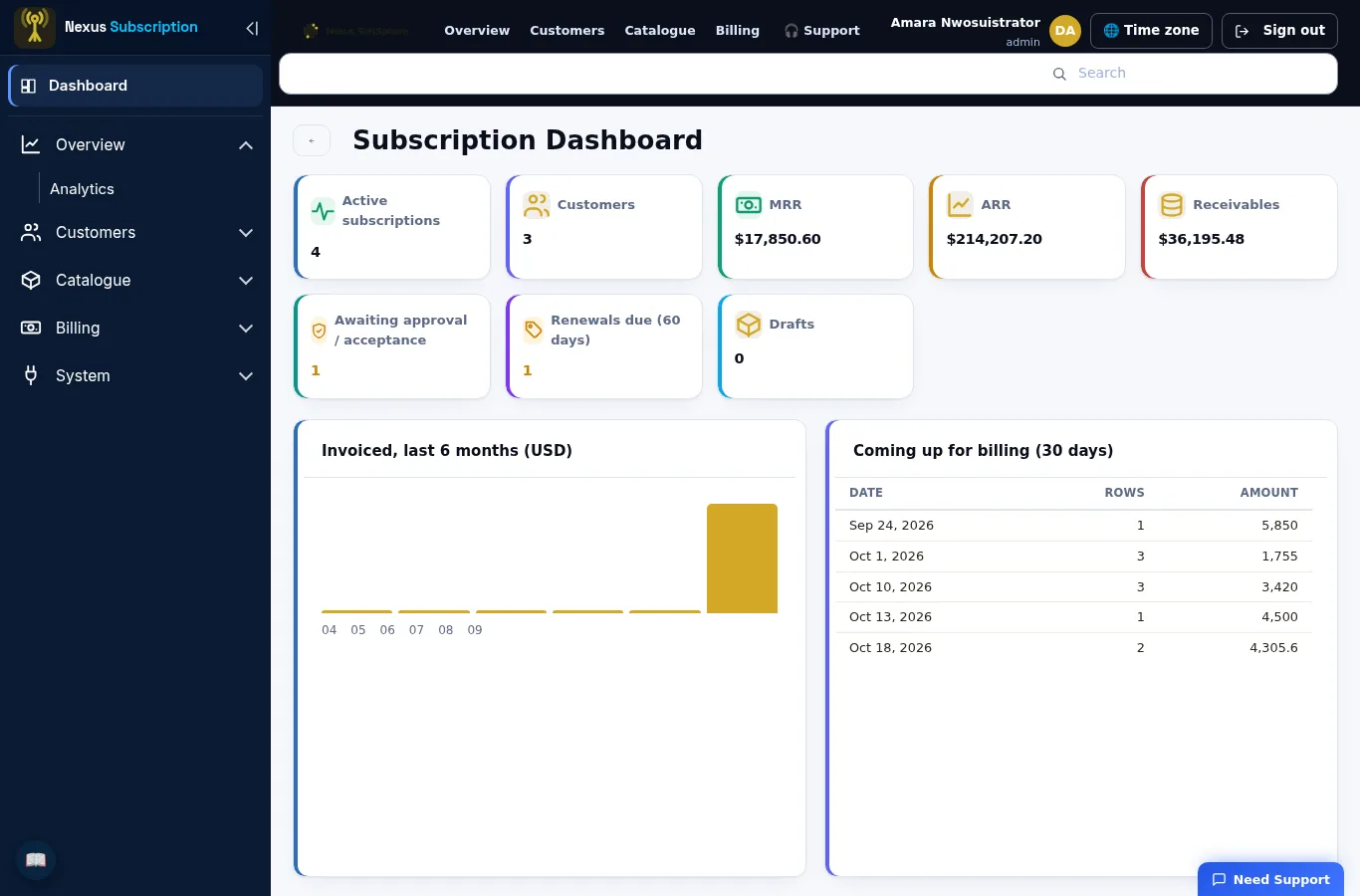
On activation every period of the term is written out with its dates, quantity and amount, prorated for partial periods, on service or calendar periods. An evergreen subscription keeps its horizon extended. You can see what will be invoiced, and when, before it happens.
Bill runs and invoices
Run billing for everything due by a date, for one customer or the whole book, consolidated per customer or per subscription. Invoices carry the period and the lines that produced them, in the customer's currency at the rate of the day.
Amendments and closes that settle
Upgrade or downgrade mid-term: the current line ends the day before, the amended line starts on it, and the replaced part of the period is credited. Close early with a proration credit, without one, or by waiving the rest of the term, with an early termination fee where the profile carries one.
Renewals and retention
Every subscription reaching the end of its term, what it is worth and how likely it is to churn. Renew automatically or as a draft to review, with the price held, marked up, marked down or repriced from the catalogue. Reminders go out on the days the profile sets, and a renewal that will not happen is recorded as lapsed with a reason.
Collections that pause billing
Reminders on the days after the due date that you choose, then a billing hold when an invoice runs far enough past due — and the hold lifts by itself when the money arrives and nothing is overdue. Each reminder is sent once per attempt.
Revenue and analytics
Recurring revenue spread across the periods it is earned in: recognised to date, deferred, unbilled backlog and a forecast. MRR, ARR, churn, ARPA, LTV, renewals due and the accounts most at risk, with a CSV export of every list behind the numbers.
Customer self-service
The customer accepts or declines a subscription on a page of its own, with no account to create, and can be given a read-only link to their subscription, its schedule and its invoices, and a way to ask for a change.
Works with the Nexus Suite
Customers and service items come from the Suite; invoices raised here are interfaced to Suite Receivables in the entity you bill from, and payments come back. A quote your customer has accepted in the Suite becomes a subscription in one step. Licensed separately from the Suite.
Roles, tokens and audit
Administrator, manager and staff roles with a job-duty-privilege model for larger teams, API tokens scoped per module and action, an append-only activity trail, passwordless sign-in with an authenticator app or passkey, and per-tenant data isolation.
From quote to cash, on one record
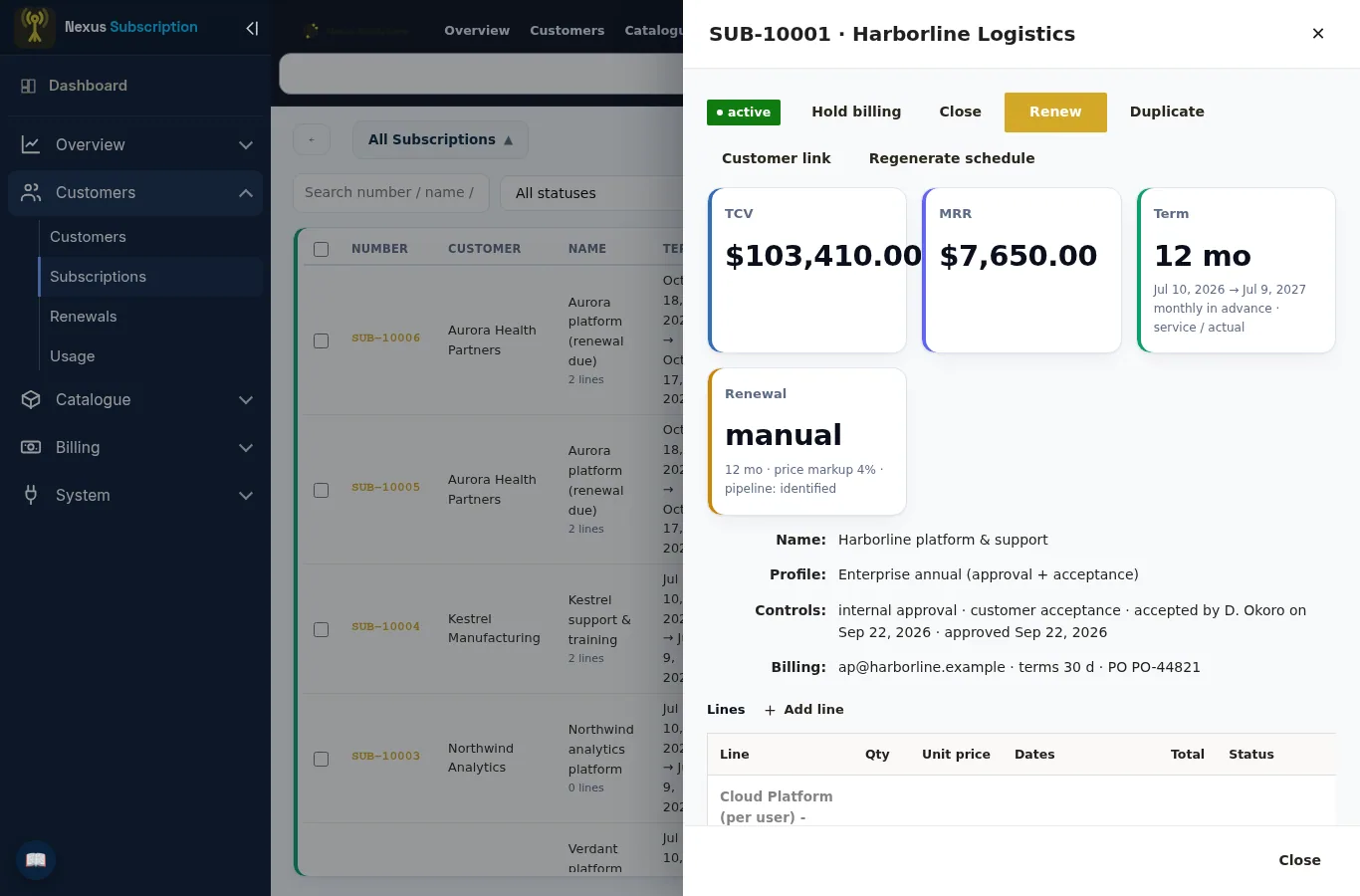
The subscription holds the commercial terms, the lines hold what is sold, and the schedule holds what will be billed. An amendment writes itself into the same schedule. A close credits from the same schedule. The invoice, the credit memo and the revenue all trace back to the row that produced them, which is why the renewal conversation and the accounting agree.
See Nexus Subscription on your own price list
Bring one subscription you find hard to bill — a mid-term upgrade, a metered service, a three-year licence — and we will build it in a 45-minute walkthrough.